

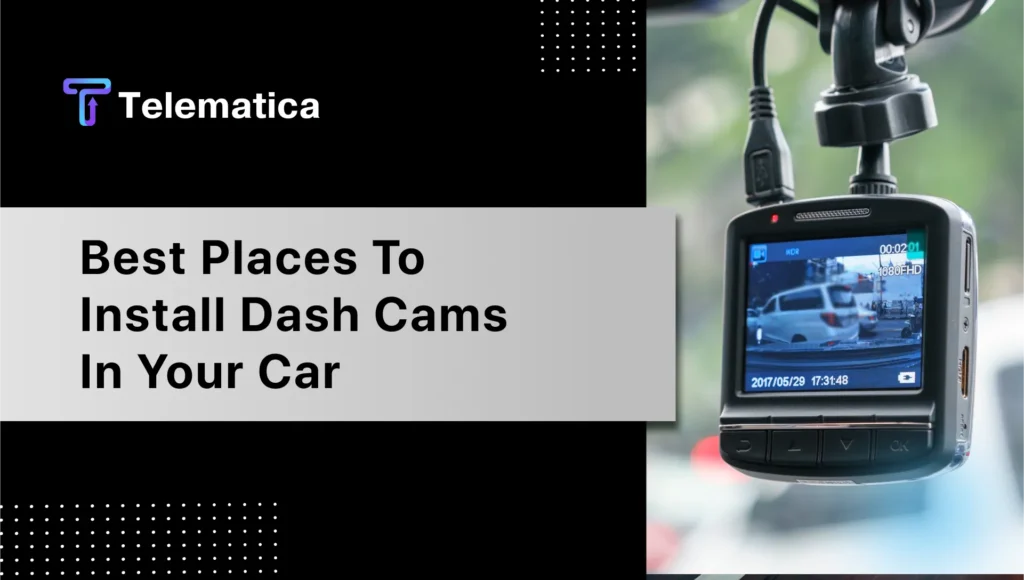
A dash cam isn’t just another gadget for your car—it’s your silent witness, security guard, and peace of mind during every trip. But its effectiveness hinges on one crucial factor: placement. Let’s explore where to place your dash cam to maximize its potential.
Why Proper Dash Cam Placement Matters
The location of your dash cam determines its ability to capture clear, actionable footage. Misplacement can obstruct your view or compromise the camera’s coverage. Placing it correctly ensures:
- Clearer Footage: A well-placed dash cam captures a broad, unobstructed view of the road.
- Safety Compliance: Poor placement might violate laws or obstruct the driver’s view, increasing the risk of accidents.
- Legal Backup: Footage is only helpful if it’s admissible in court, which requires compliance with laws regarding unobstructed views.
Key Takeaway: Think of your dash cam as an insurance policy. Proper placement ensures it works when you need it most.
Why Telematica’s Solutions Are Perfect for Dash Cam Integration
At Telematica, we understand the value of having a reliable dash cam setup to protect your fleet, drivers, and business. Our advanced vehicle telematics solutions complement dash cam technology and take its capabilities to the next level.
Streamlined Dash Cam Integration with Our Telematics Systems
Our telematics systems are designed to seamlessly integrate with dash cams, offering a unified platform for monitoring and managing your fleet. Combining real-time GPS tracking with dash cam footage gives you a comprehensive view of each trip, ensuring you’re always informed about what’s happening on the road.
- Enhanced Safety Monitoring: Pairing our telematics with dual-facing dash cams helps you monitor driver behavior and ensure safer driving practices across your fleet.
- Incident Accountability: Clear, timestamped footage combined with telematics data strengthens your evidence in case of disputes or insurance claims.
- Effortless Management: Our platform centralizes your data, allowing you to access location, footage, and performance metrics from one dashboard.
Tailored for Every Fleet Size
Whether you manage a small delivery service or a large commercial fleet, our solutions are scalable to meet your unique needs. With Telematica, you’re not just installing a dash cam but creating a safer, smarter transportation system.
Why It Matters: Dash cams alone provide visibility, but when combined with our telematics solutions, they deliver actionable insights that improve safety, reduce costs, and enhance efficiency.
Interested in learning how Telematica can transform your fleet management? Contact us today to discuss how our solutions can work for you.
Legal Guidelines for Dash Cam Placement
Every state has unique regulations for where a dash cam can legally be placed. Missteps could lead to fines or unusable footage in legal disputes. Here’s what you need to know:
- Avoid Obstructing the Driver’s View: Most states require that your dash cam not block the windshield or impede the driver’s line of sight.
- Placement Regulations: States like California and New York have strict guidelines on windshield mounts, often limiting placement to areas behind the rearview mirror or within specific dimensions.
- Privacy Concerns: If your dash cam records audio, check state laws on consent to avoid legal issues.
Pro Tip: Always review your state’s specific guidelines before installation. Legal compliance ensures your dash cam footage is admissible, and your vehicle stays roadworthy.
Best Locations to Mount a Dash Cam in Your Car
Choosing the right spot for your dash cam maximizes its utility. Here are the most effective locations:
1. Behind the Rearview Mirror
- Why It’s Ideal: This placement offers an unobstructed view of the road and complies with most legal requirements.
- Tips: Mount it below the mirror to maintain a clean aesthetic while ensuring easy access.
2. Dashboard
- Why It Works: A dashboard-mounted dash cam provides stability and minimizes distractions.
- Tips: Use adhesive mounts for secure placement, and ensure the dash cam angle captures both the road and the car’s hood for perspective.
3. Rear Window (For Dual-Facing Dash Cams)
- Why Consider It: Rear-mounted cameras monitor tailgating and accidents from behind.
- Tips: Position it high on the rear windshield for a clear view, avoiding obstruction by headrests or passengers.
Dash Cam Placement Tips for Different Vehicle Types
Not all vehicles are built the same, and your dash cam placement should adapt to your ride.
For Sedans
- Mount directly behind the rearview mirror for the best road coverage.
- Use compact models to avoid cluttering the windshield.
For SUVs and Trucks
- Place the dash cam higher to accommodate the larger windshield.
- Use a wide-angle lens to capture the road’s full width.
For Fleet Vehicles
- Consider dual-facing dash cams to monitor both the road and driver behavior.
- Rear placements are crucial for cargo security.
Tip: Vehicle size and shape dictate the ideal placement, so test multiple angles before finalizing.
Mistakes to Avoid When Installing Your Dash Cam
Avoid these common pitfalls to ensure your dash cam performs at its best:
- Blocking Sensors: Placing your dash cam near ADAS sensors can interfere with functionalities like lane-keeping or collision warnings.
- Obstructing the Driver’s View: Always prioritize safety over convenience.
- Incorrect Wiring: Poor cable management can cause distractions or damage the car’s interior.
- Poor Adhesion: Ensure the mount is secure to prevent the dash cam from falling mid-drive.
Reminder: A quick double-check after installation can save you from costly mistakes.
How to Install a Dash Cam for Maximum Effectiveness
Proper installation is as important as placement. Follow these steps for a hassle-free setup:
Step 1: Choose the Right Spot
Decide the best position based on your vehicle type and local regulations.
Step 2: Clean the Surface
Use a microfiber cloth to remove dust and grease for a secure mount.
Step 3: Attach the Dash Cam
Use adhesive or suction mounts to ensure the camera is level and correctly angled.
Step 4: Manage the Cables
Run the power cable along the windshield edge, tucking it under the headliner and side panels for a neat finish.
Step 5: Test the Setup
Turn on the camera to ensure it records a clear road view without obstructions.
Bonus: How to Choose the Right Dash Cam for Your Needs
Not all dash cams are created equal. Here’s what to consider:
Key Features
- Resolution: Go for 1080p or higher for clear footage.
- Wide-Angle Lens: Covers more of the road.
- Night Vision: Crucial for low-light conditions.
- GPS Tracking: Logs speed and location for added evidence.
Vehicle-Specific Recommendations
- Compact dash cams suit smaller vehicles.
- Dual-facing models are great for rideshares or fleet vehicles.
Budget and Quality
Balance price with features. A reliable dash cam is an investment, not an expense.
Pro Tip: Prioritize quality over cost. A well-made dash cam lasts longer and performs better in critical moments.
Conclusion
A dash cam is more than a gadget—it’s your ally on the road. From capturing crucial footage to ensuring legal compliance, proper placement and installation make all the difference. Whether you’re a daily commuter or a long-haul driver, taking the time to mount your dash cam correctly ensures it’s there for you when it matters most.
Choosing Telematica: Elevating Your Telematics Game
- Tailored Solutions:
Telematica understands that every business is unique. Our fleet tracking solutions are customizable to meet your operation’s specific needs, ensuring a tailored approach.
- 24/7 Support:
Telematica is not just a provider; we’re a partner. Our dedicated support ensures your fleet tracking system operates seamlessly and assists whenever needed.
- Continuous Improvement Workshops:
Telematica offers workshops and training sessions to ensure businesses can maximize the potential of fleet tracking, providing continuous improvement opportunities.
- Integration with Existing Systems:
Seamless integration with existing business systems ensures a smooth transition to fleet-tracking solutions without disrupting day-to-day operations.
FAQs
1. Where should I not put my dash cam?
Avoid placing it in areas that block your view, interfere with sensors, or violate local laws.
2. Is a rear-facing dash cam necessary?
While not mandatory, rear-facing cams offer additional security by capturing incidents from behind.
3. How high should a dash cam be placed?
Ideally, position it at eye level or slightly higher, just below the rearview mirror.
4. Can I install a dash cam myself?
Yes, most dash cams are DIY-friendly. Follow the manufacturer’s instructions for the best results.
5. Do dash cams drain the car battery?
Not significantly. However, hardwiring or a parking mode feature can draw power when the engine is off.